
Learn how to customize the SEO metadata and social media preview tags for your library web app in Kotobee.
The new Website and SEO section in your library settings allows you to control how your library appears in search engines and when shared on platforms like Facebook, LinkedIn, or X. This helps improve your library’s visibility and attract more visitors.
Steps to Set SEO and Social Media Tags
Open Library Settings
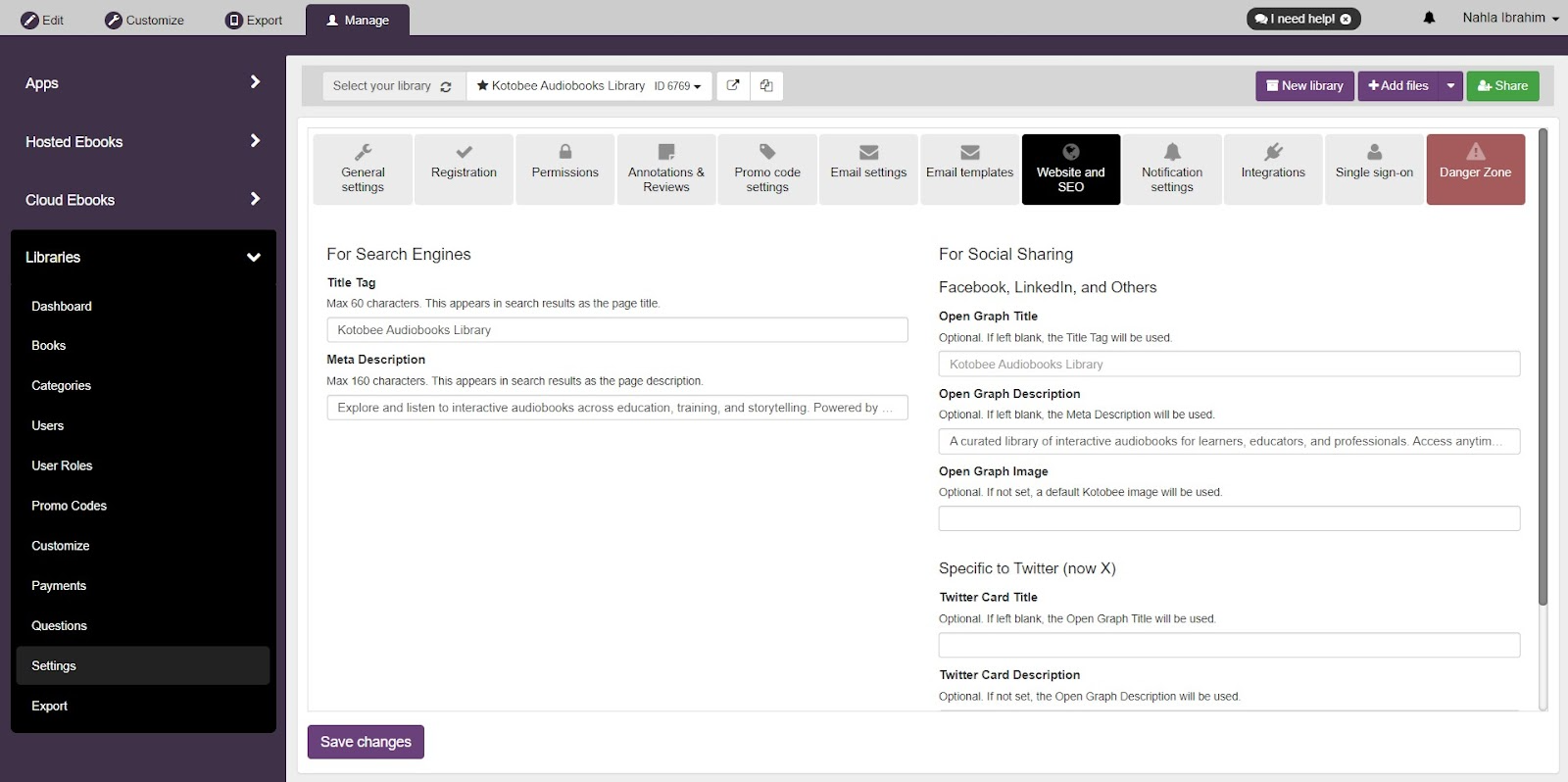
From your library dashboard, click on Settings then navigate to the new Website and SEO section.Enter SEO Metadata
Title tag: Add any title you prefer for your library. This title appears in browser tabs and search engine results. (Maximum 60 characters recommended.)
Meta Description: Write a short summary of your library. This text appears in search results as the page description. (160 characters recommended.)
Set Social Media Preview Tags
These fields define how your library looks when shared on social platforms:
For Social Sharing (Facebook, LinkedIn, and Others)Open Graph Title: Enter the title to display when your library is shared on social platforms. (If left blank, the Title Tag will be used.)
Open Graph Description: Enter the description to display when your library is shared on social platforms. (If left blank, the Meta Description will be used.)
Open Graph Image: Upload an image to appear as the preview thumbnail when your library is shared. (Recommended size: 1200 × 630 px. If not set, a default Kotobee image will be used.)
Specific to Twitter (now X)
Twitter Card Title: Enter the title to display when your library is shared on X. (If left blank, the Open Graph Title will be used.)
Twitter Card Description: Enter the description to display when your library is shared on X. (If left blank, the Open Graph Description will be used.)
4. Save Your Changes
Click Save Changes to apply the new metadata and tags. You can also use Facebook’s Sharing Debugger or Twitter’s Card Validator to confirm your preview looks correct.
Why Add SEO and Social Media Tags?
Improve search visibility: Metadata helps search engines rank and display your library more accurately.
Control first impressions: Choose the titles, descriptions, and images that represent your library best.
Boost engagement: Attractive previews encourage more clicks when users share your library link on social media.