
Learn how to customize book thumbnails and control how book titles, metadata, and visual details appear in your Kotobee Library.
The Book Thumbs settings allow you to control how book thumbnails and related information appear in your Kotobee Library. These options help you fine-tune the visual layout of your library and decide how much information is shown for each book.
Accessing Book Thumbs Settings
- Open your Kotobee Library.
- Go to Customize.
- Select the Book Thumbs tab.
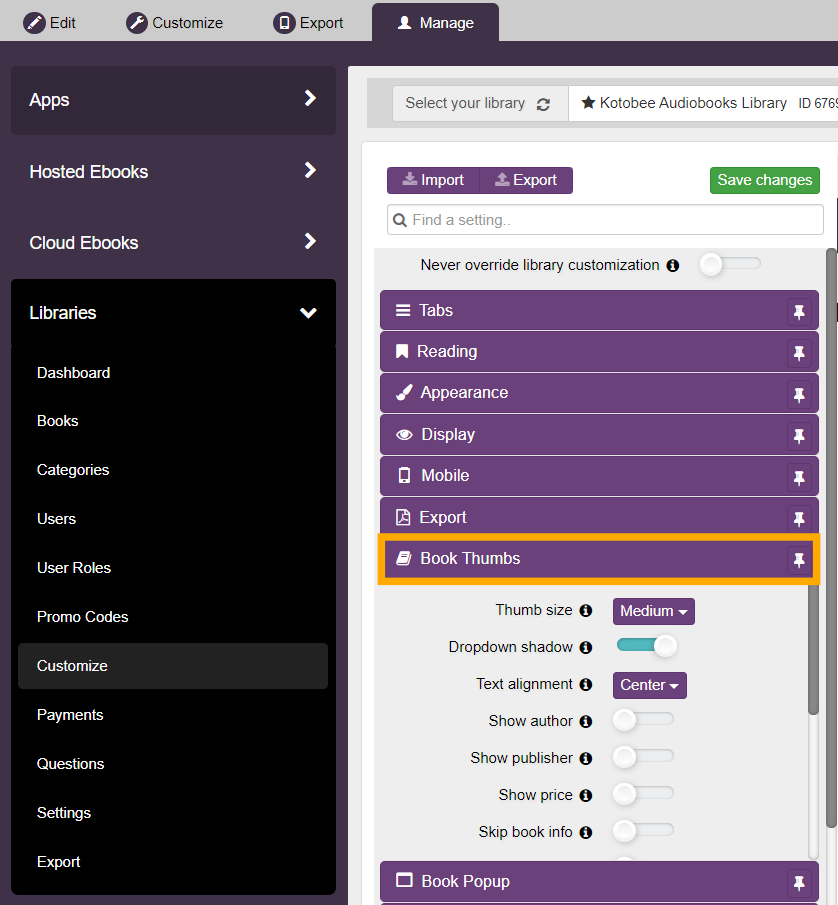
Book Thumbs Options
- Thumb size: Controls the size of book thumbnails displayed in the library. You can choose the size that best fits your library layout and screen space.
- Dropdown shadow: Enables or disables a shadow effect on dropdown elements to improve visual contrast and separation.
- Text alignment: Controls how text under book thumbnails is aligned. You can choose between left, center, or right alignment.
- Show author: Displays the book author’s name underneath the book thumbnail.
- Show publisher: Displays the publisher name underneath the book thumbnail.
- Show price: Displays the book price in the library view, if pricing information is available.
- Skip book info: Hides the book information page so the ebook opens immediately when selected. If an error occurs while opening the ebook, or if the user is not authorized to access it, the book information page will still appear.
- Reveal details when hovered: Shows additional book details only when the user hovers over a book thumbnail.
- Copy URL button: Displays a button that allows users to copy the direct URL of a book from the library. This button is visible only when the library is accessed through a web browser.
- Inline details: Displays book details in a single wrapped line instead of being shown across multiple rows.
- Don’t trim book title: Controls how long book titles are displayed. When enabled, the full book title wraps across multiple lines. When disabled, long titles are trimmed to fit within two lines. This option is especially useful for libraries with long academic or multi-part book titles.
- Book rating: Displays average book ratings underneath the book thumbnail, if ratings are enabled for the library.