
This release brings key updates across the Kotobee platform, with highlights including AI-powered in-book assistance, new interactive assessment tools, and expanded permission controls, among several other improvements. Read on for full details.
Kotobee Author
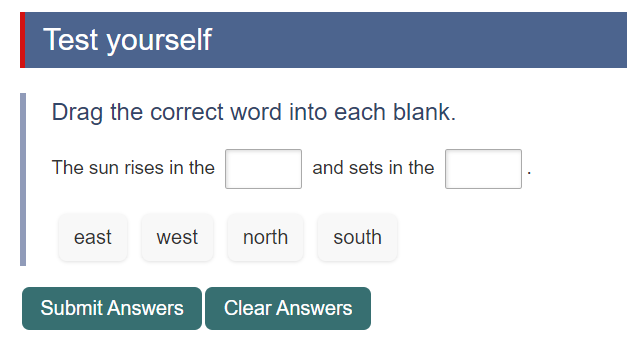
New Question Type: Drag into the Blanks
This question type lets you add blank spaces within a sentence, similar to Fill in the Blanks, but using a drag-and-drop interaction. Readers are presented with a sentence with missing words and a list of keywords that includes both correct and incorrect options. To answer, they drag each correct keyword into the appropriate blank.
Disabling Pasting in Question Text Fields
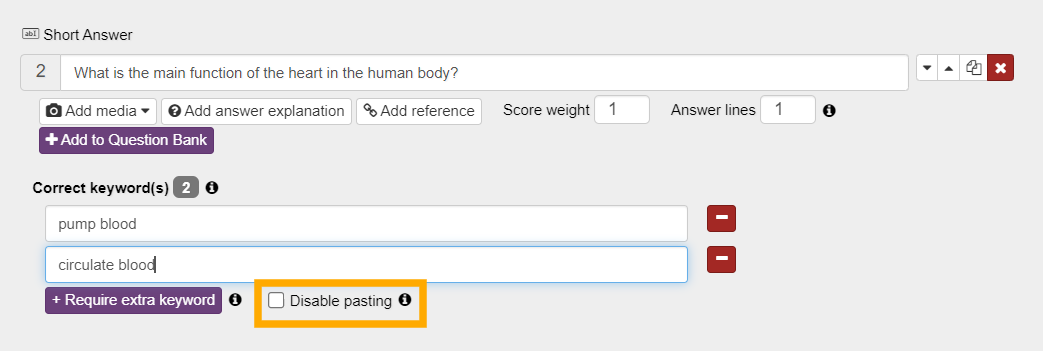
For question types that require typed responses, such as Short Answer and Fill in the Blanks, you can now disable pasting into the text field. This helps reduce pasted answers from external sources and encourages learners to type their responses themselves.
Enhanced PDF Export
PDF export has been upgraded with a new generation engine. This improvement resolves issues that occurred in certain uncommon scenarios in older releases and improves overall export stability.
Kotobee Library & Cloud Ebooks
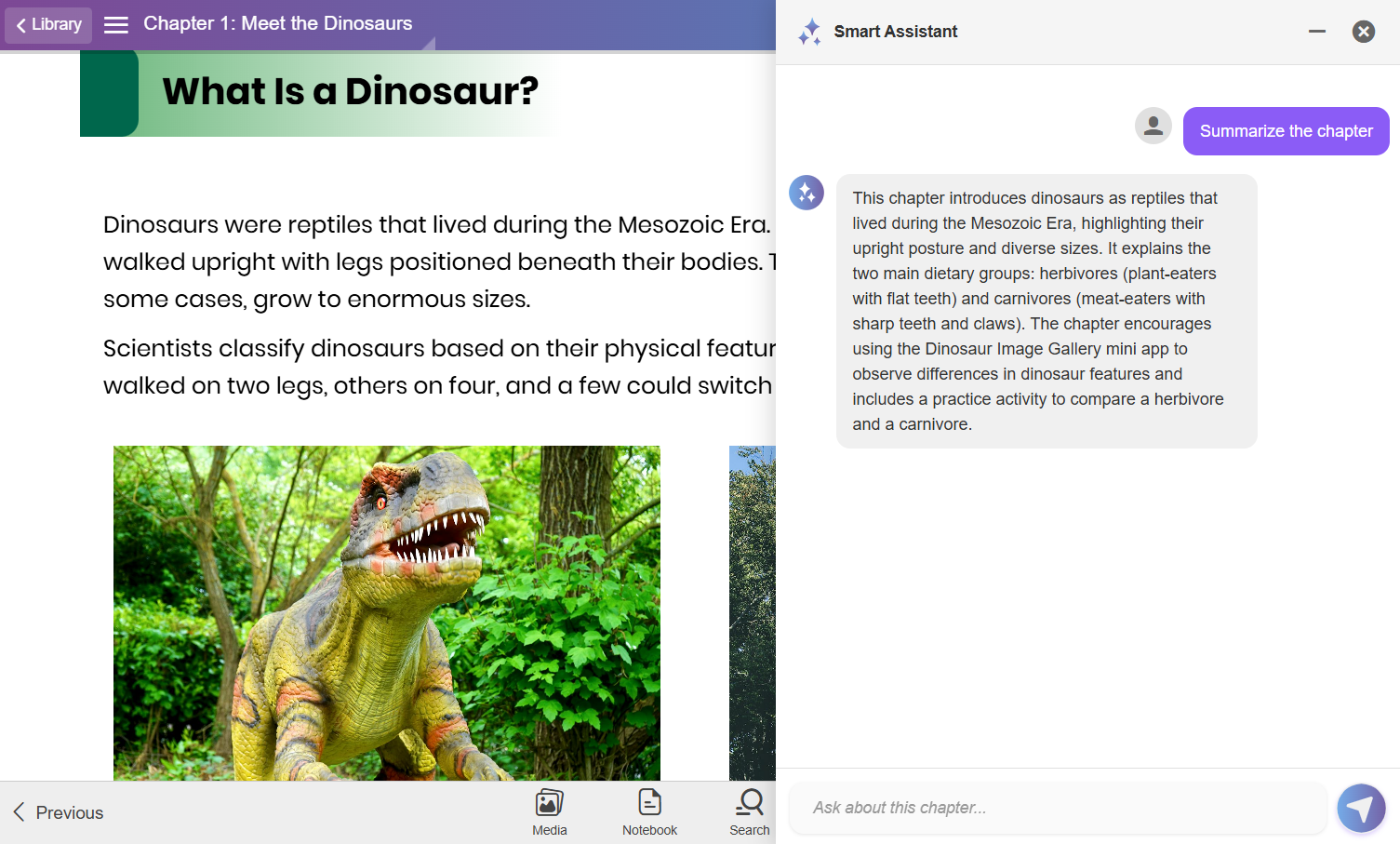
Smart Chat: AI Assistance inside the Ebook
Smart Chat allows readers to interact with an AI chatbot directly inside library and cloud ebooks. It can provide explanations, summaries, and review questions based on the currently opened chapter, helping them better understand the content without leaving the ebook.
Kotobee Library
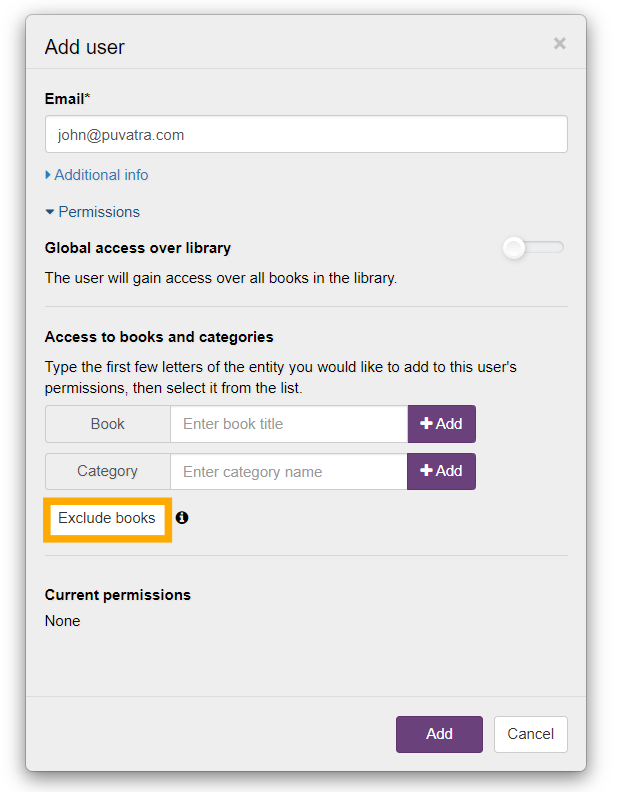
New Permission Rule: Deny Book Access
When adding users to your library, you can normally grant them access to specific books, categories, or even the entire library. In this release, a new rule has been added that allows you to deny access to selected books. This provides more flexibility as you will be able to give users access to a growing category or the entire library, while excluding specific books when needed.
Hide Book Panel Categories
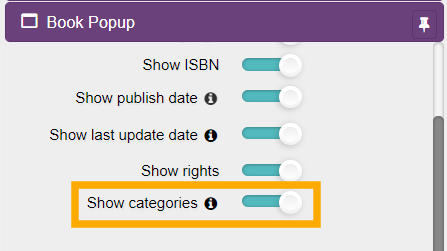
You can now hide a book’s categories from its book panel. This provides additional customization flexibility and allows you to control how book information is presented to readers.
Kotobee Reader (Desktop Apps)
Text-to-Speech for Desktop Apps
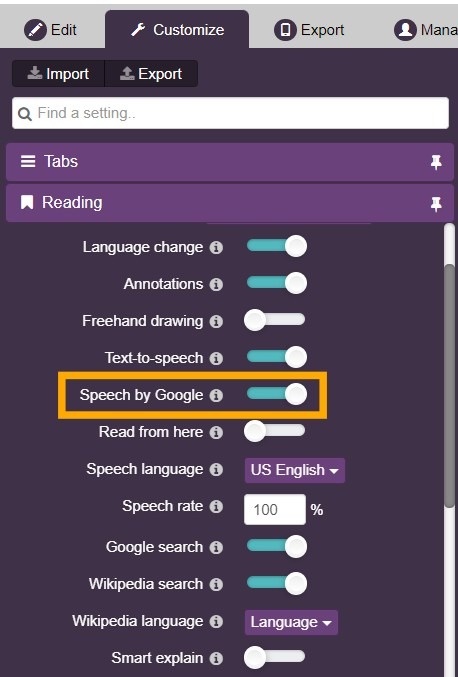
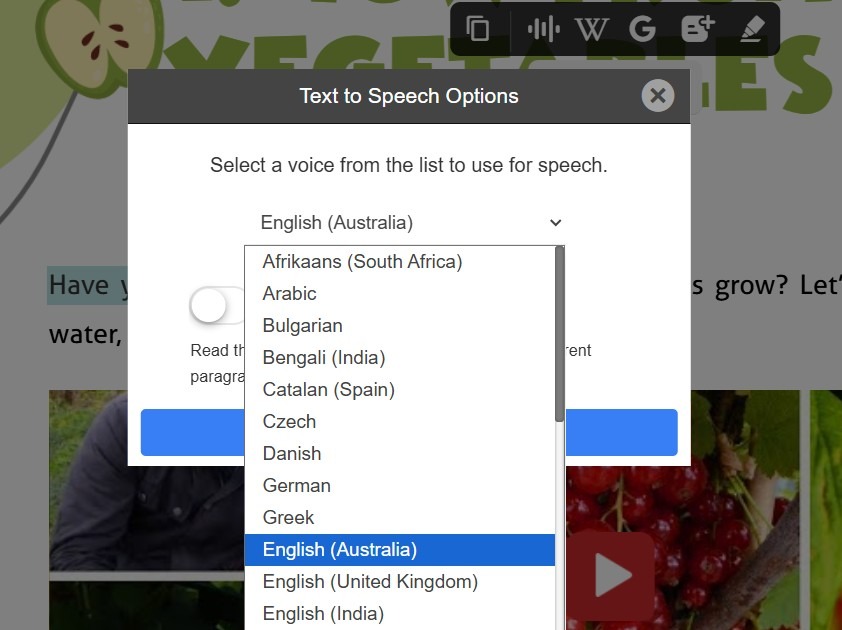
Text-to-Speech is now available in exported desktop apps when using the Speech by Google option. Readers can listen to ebook content directly within Windows and macOS apps. This makes the ebooks more accessible and supports audio-based learning.
How to Get the Update
To access these new features, download the latest version of Kotobee Author.
Do you have questions about any of the new features? Book a free one-on-one session with a Kotobee expert to help you explore all the new features.