
This update introduces improvements across Kotobee Author, Kotobee Library, and Kotobee Reader to enhance efficiency, accessibility, and user experience. From faster content management and AI-powered tools to improved reading features.
Kotobee Library
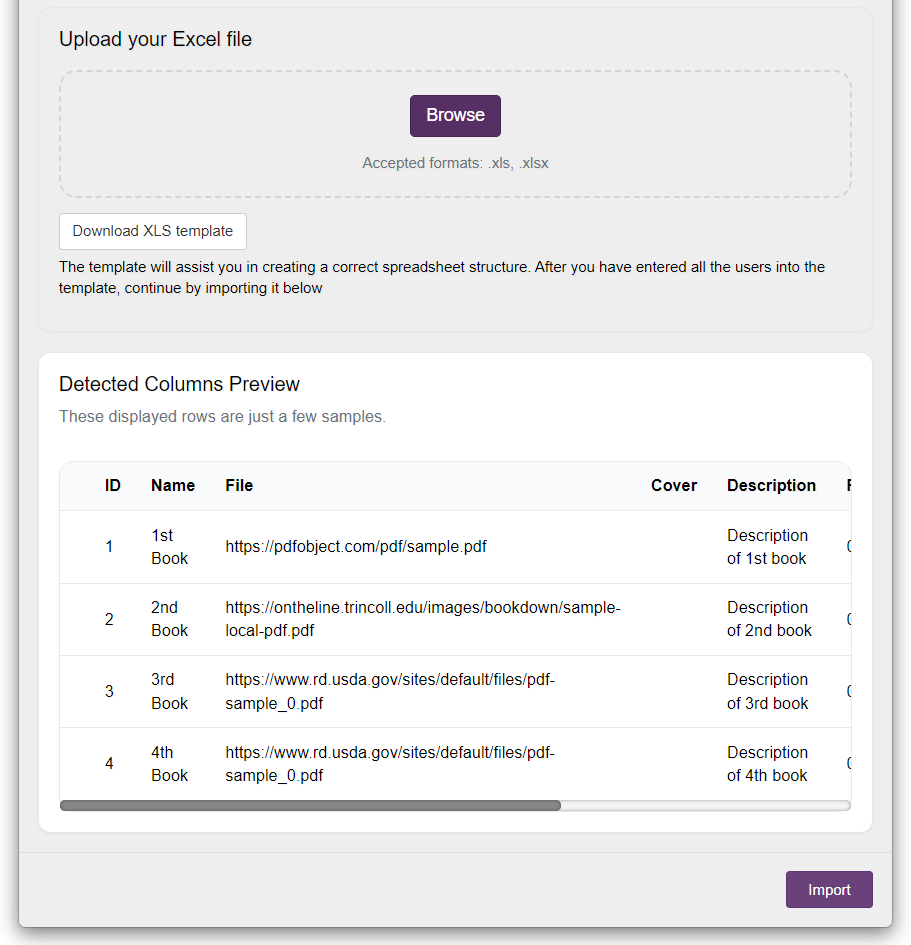
Bulk Import for PDF Books
You can now import multiple books (in PDF format) into your library at once using an XLS sheet. Instead of uploading titles one by one, simply download the XLS template provided, add the necessary data, and then import your PDF books in bulk. This is especially useful for publishers, educators, and organizations managing large collections, as it saves them significant time during the onboarding or migration processes.
Discounted Pricing for Library Books
You can now assign both an original and a discounted price to books sold through a Kotobee library. The original price appears crossed out, with the discounted price shown as the final purchase amount. This creates a clearer shopping experience for readers by highlighting the value of the discount and encouraging purchases.
Kotobee Author
Filter LTI Courses
If you are using LTI with a large number of courses, you can now filter them by course title directly within Kotobee Author. This makes it easier to locate and link the correct course, especially if you’re managing multiple classes or departments.
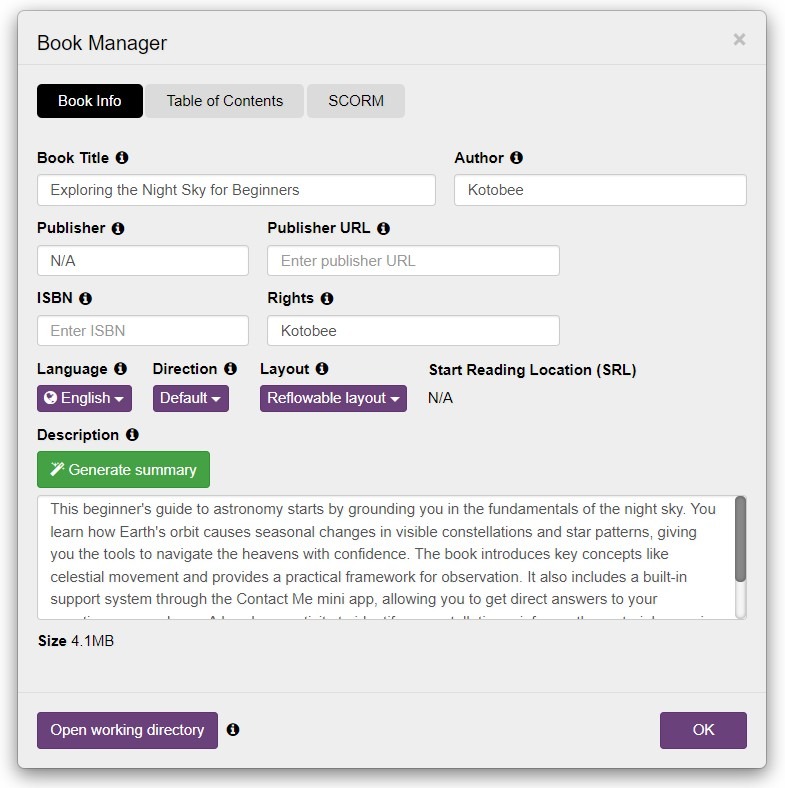
Generate Book Summary with AI
You can now generate book summaries instantly within Kotobee Author. This AI-powered tool analyzes your content to produce concise summaries for your book.
Fixed AI Token Model
AI usage is now based on fixed token quantities instead of a subscription model. This update makes it easier to track your usage and manage costs across different projects or departments. View the available token packages here.
Support for Larger Encrypted EPUB Exports
You can now export larger protected EPUB files. This allows you to create bigger, media-rich ebooks without export limitations.
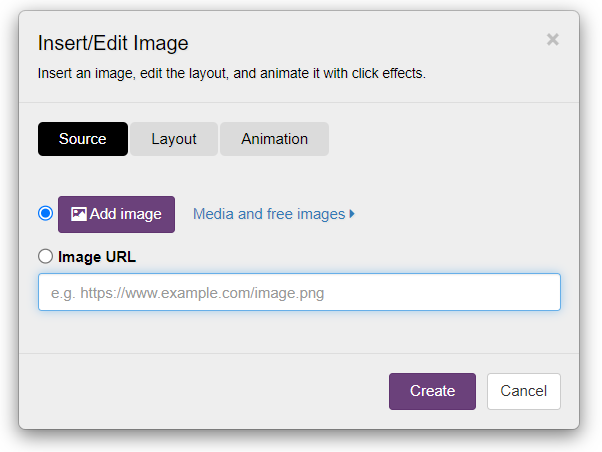
Improved Image Tool Organization
The image tool has been reorganized to provide a more user-friendly interface. The Source tab is now dedicated strictly to adding your images (via upload or URL), while all positioning and styling controls have moved to a new, dedicated Layout tab.
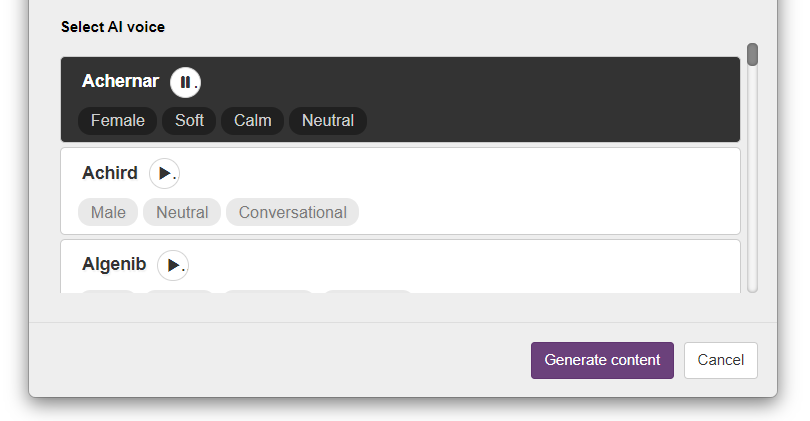
AI Audio Voice Preview
If you're generating audio using the AI content generation feature, you can preview a voice before selecting it. This helps you choose the most suitable option without needing to regenerate audio multiple times.
Kotobee Reader
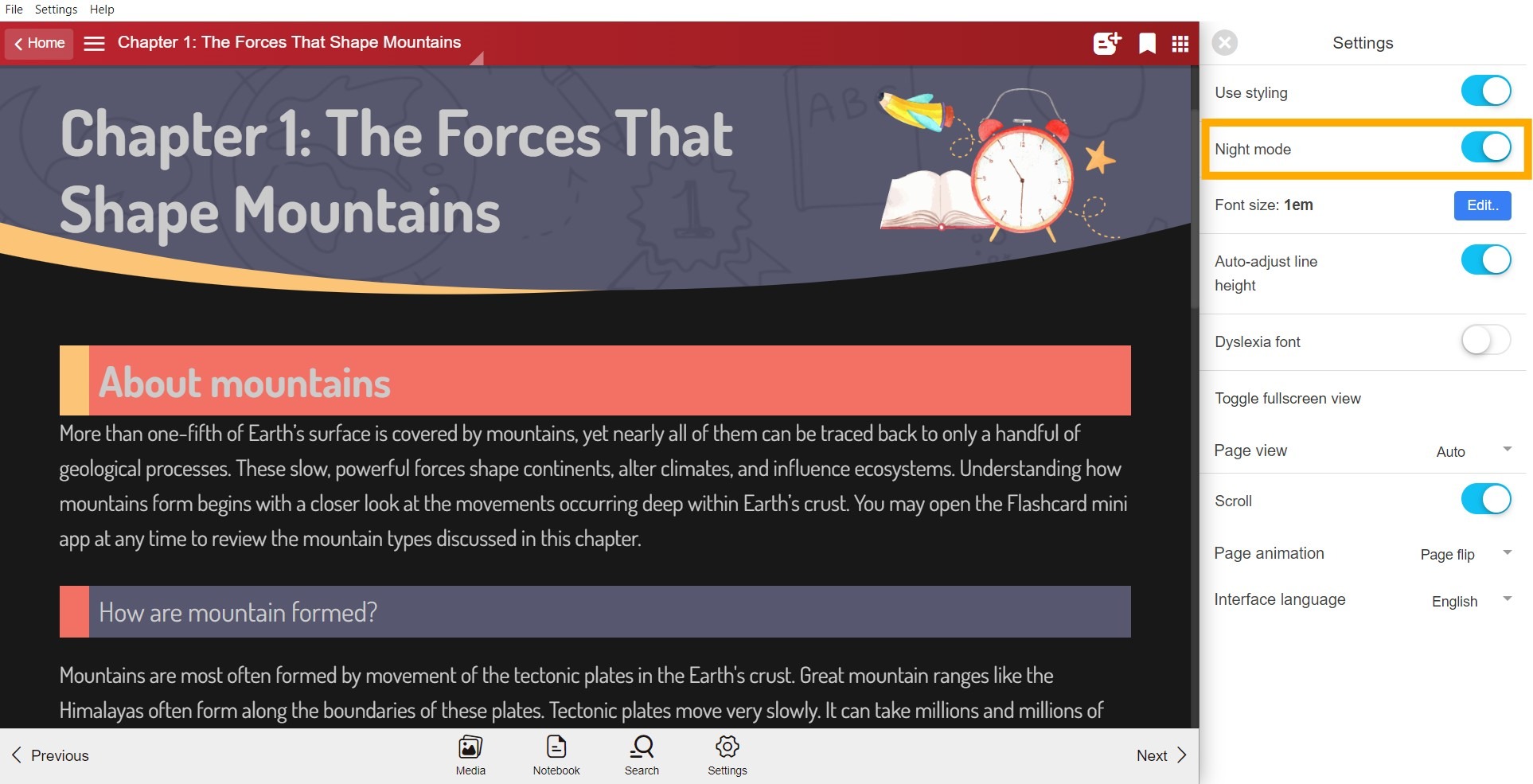
Night Mode (Accessibility Settings)
To support a better reading experience, we’ve introduced a new Night Mode in Kotobee Reader. Users can now opt for a dark interface to minimize eye fatigue and improve readability when viewing content in low-light settings.
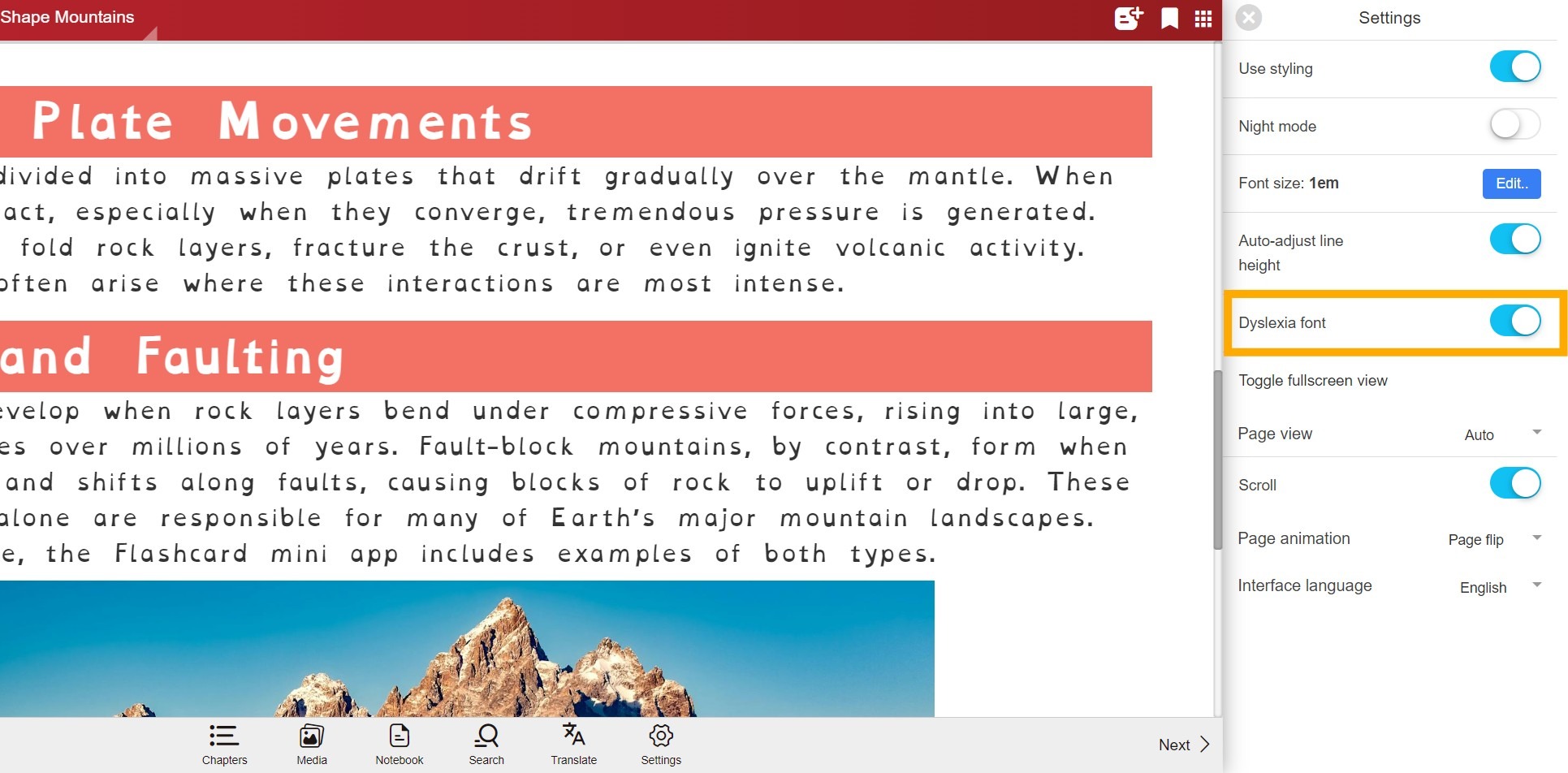
Dyslexia-Friendly Fonts (Accessibility Settings)
Support for dyslexia-friendly fonts is now available in the reader. This allows users with dyslexia or reading difficulties to customize their interface for a more comfortable and focused reading experience.
Smart Explain Matches Reader Language
Smart Explain now detects the reader’s interface language and delivers explanations to match it. This makes your content instantly more accessible to global audiences.
Redesigned Highlight Popover
The highlight selection interface in the reader has been updated to have a new, modern look. This new design makes marking up your favorite passages easier and faster.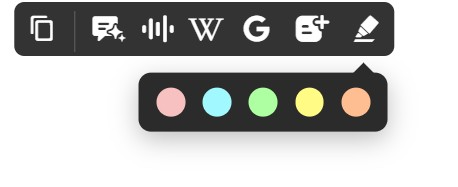
How to Get the Update
To access these new features, make sure to download the latest version of Kotobee Author.
Do you have questions about any of the new features? Book a free one-on-one session with a Kotobee expert to help you explore all the new features.