
Learn how to integrate your cloud ebook or library with FEDIS Single Sign-On (SSO) to allow users to log in seamlessly using their FEDIS credentials.
If your organization uses FEDIS for authentication, you can enable Single Sign-On (SSO) in your Kotobee cloud ebook or library using the credentials provided by the FEDIS team. Once enabled, users will be able to access your content without needing separate Kotobee login credentials.
Before You Begin
The FEDIS team will send you an email containing the following credentials:
- Client ID
- Client Secret
- Verification Token
You will use these credentials to configure the integration.
Enabling FEDIS Single Sign-On
1. Open Kotobee Author.
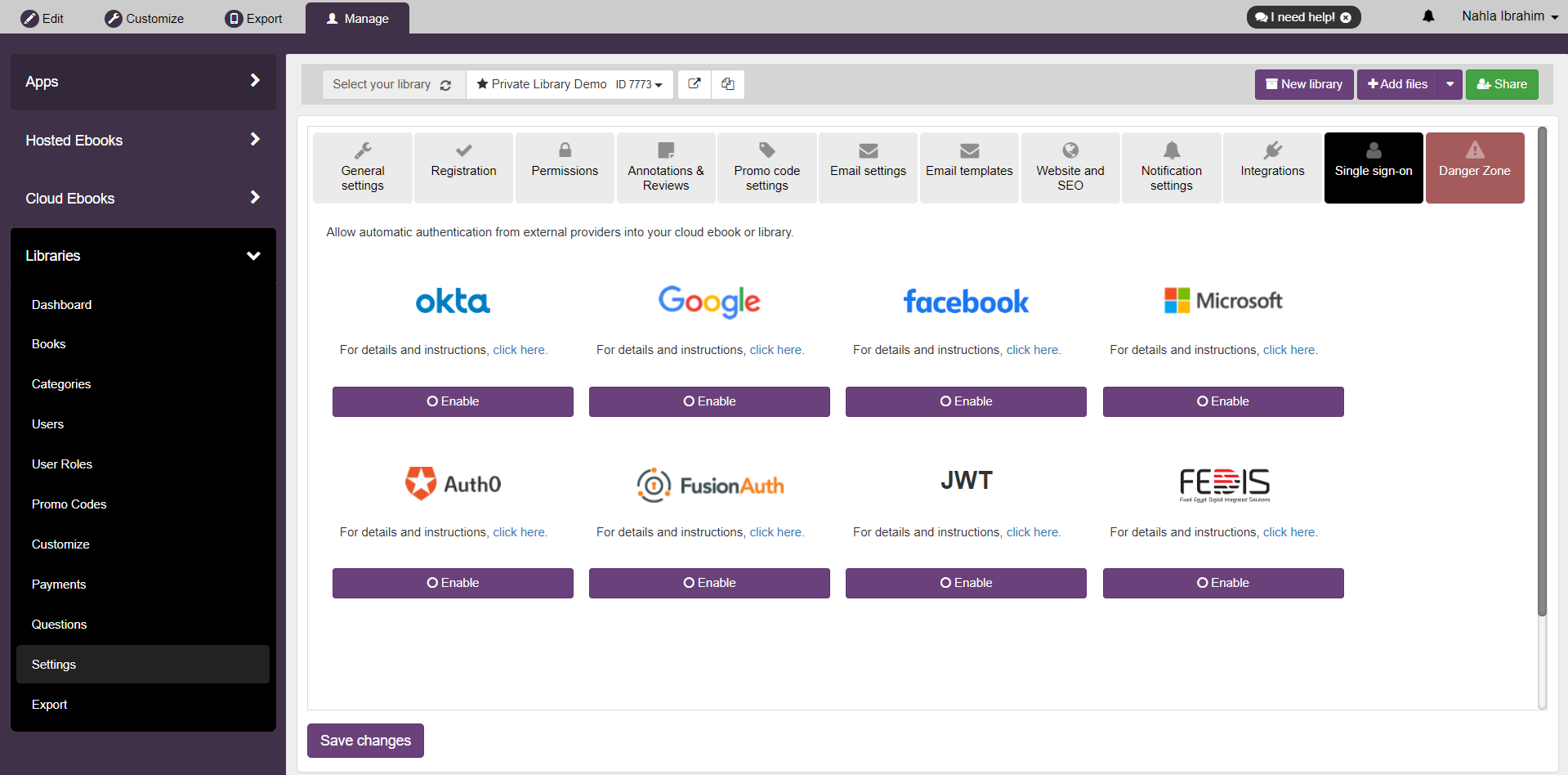
2. Go to your library or cloud ebook's settings, then click on the Single Sign-on tab.
3. Select FEDIS from the available providers.
4. Enter the following credentials exactly as provided by FEDIS:
- Client ID
- Client Secret
- Verification Token
5. Choose the platforms where you want SSO to be enabled:
- Android
- iOS
- Web
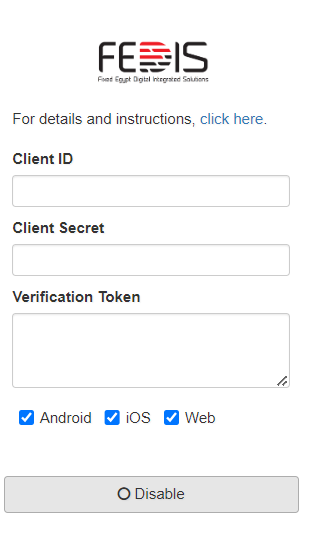
6. Click Enable to save your settings.
Once enabled, users authenticated through FEDIS will be able to access your cloud ebook or library seamlessly.