Learn how to access your system's backups and recover an older version of your ebook from there.
If you have been working on an ebook project in Kotobee Author long enough, you will find automated periodical backups taken for your ebook project.
These backups can also help you retrieve a previously working version in case your current file becomes corrupted or behaves unexpectedly.
Access Your Backups
Open any version of your ebook project.
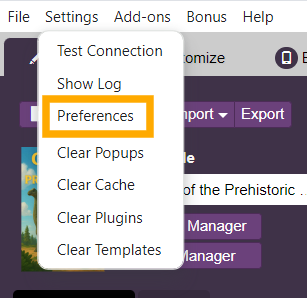
Click on the Settings menu.
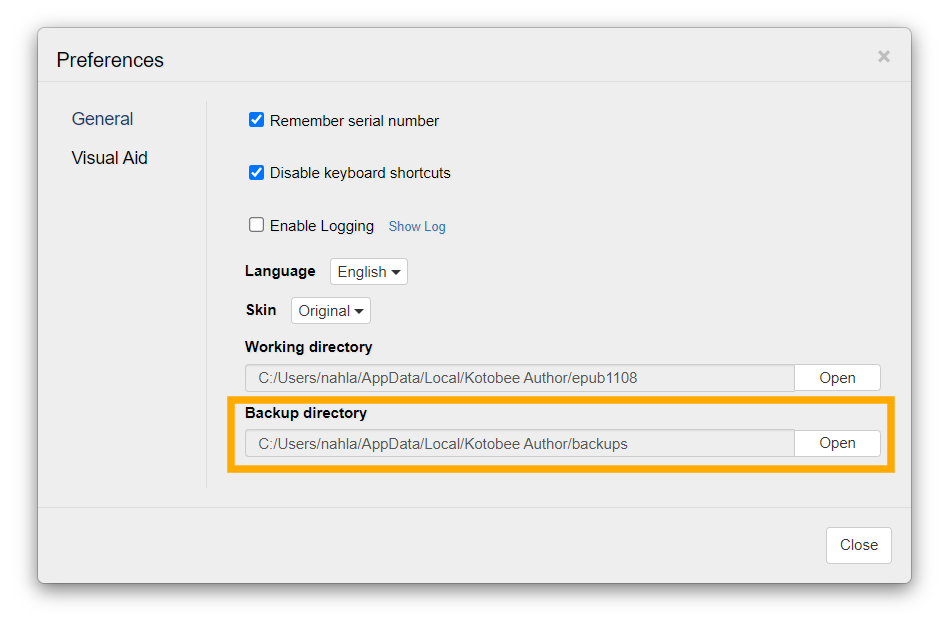
Select Preferences.
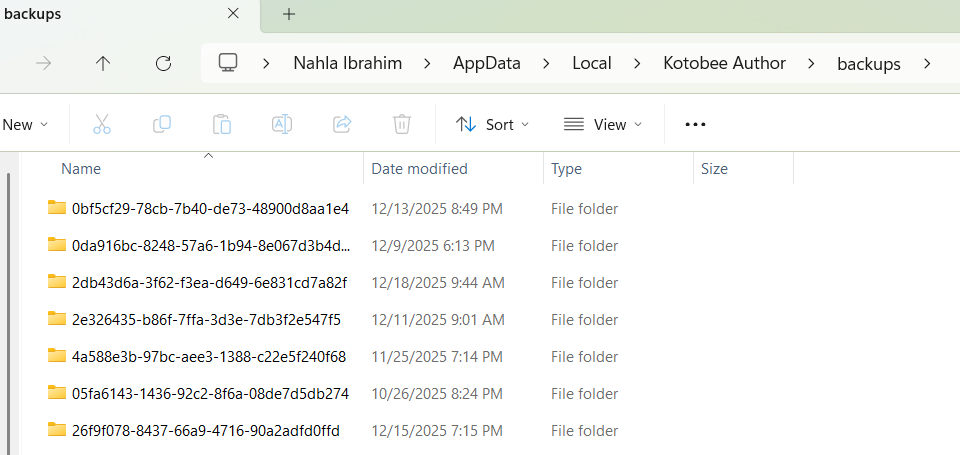
Click on the Open button in the Backup directory section. This will open your File Explorer and display the current working directory. This folder contains an archive of all the backups taken with your version of Kotobee Author.
To find backups for a specific ebook, go to the search bar and enter the name of your ebook. So, for example, if we're looking for backups for an ebook called "Giants of the Prehistoric World", then we'll enter that name in the search bar and press Enter.
Choose the version that you'd like to work on and open it in Kotobee Author.